Secure storage and sharing
LCKBX
Cloud storage for files you share. LCKBX keeps files in shared workspaces, previews them in the browser, and shows exactly who has access to each one.
An LCKBX demo account isn’t set up yet. Ask us for a walkthrough.
Who it helps
Who uses it
Teams and businesses that share files with each other and with people outside: clients, vendors, and partners.
The problem
Files spread across email attachments and personal drives leave when people leave, and nobody’s sure who can see what.
What gets easier
- Files live in workspaces the organization owns.
- Every file shows who has access, and at what level.
- Documents and spreadsheets open in the browser, without downloading.
How it works
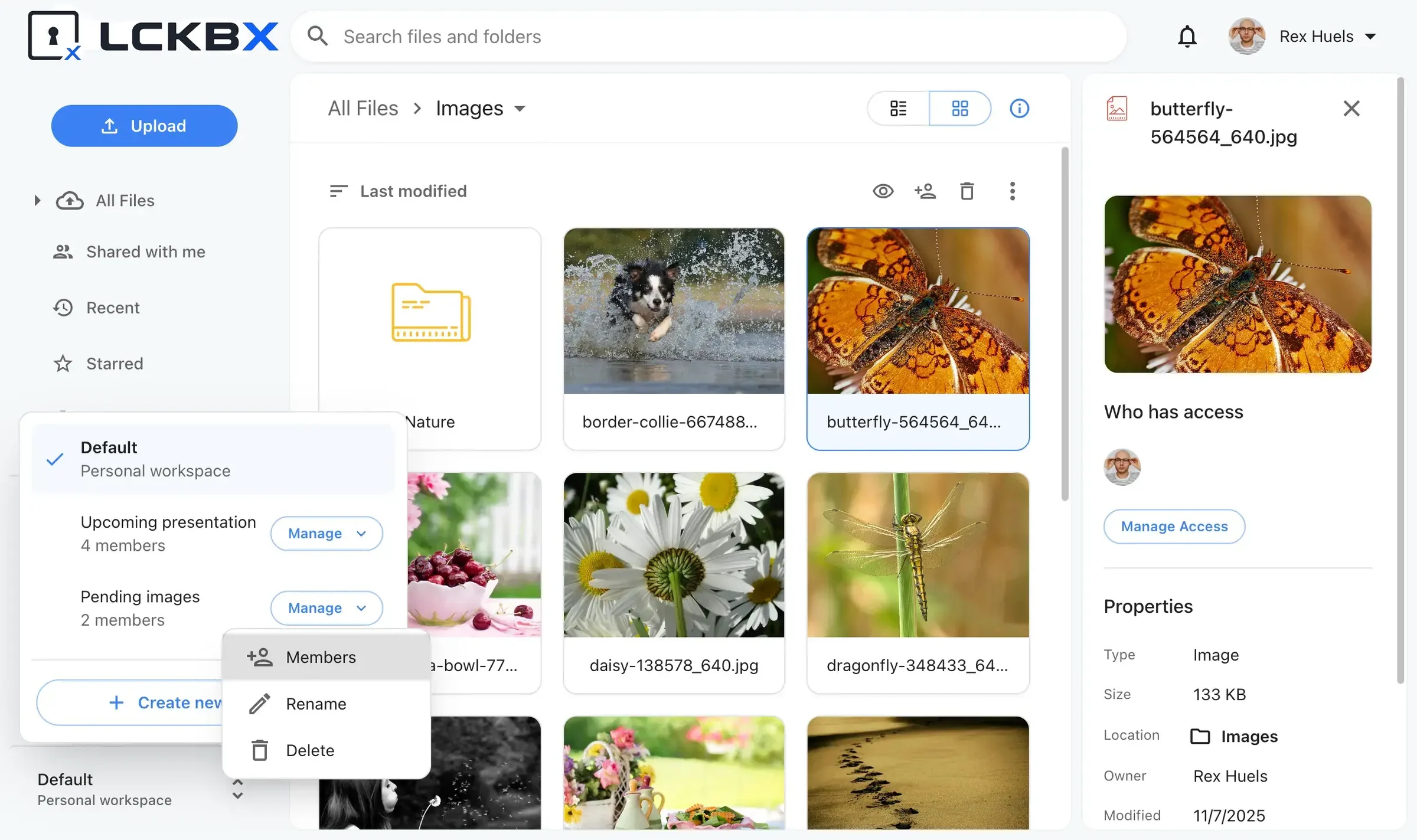
Organize in workspaces
- Starts with
- All Files, Shared with me, Recent, Starred, and a workspace switcher.
- In LCKBX
- Switch between workspaces such as a project or a team, and manage who’s a member of each.
- Afterward
- The right files in front of the right group, with the details panel showing who has access.
Share with control
- Starts with
- Share on any file or folder.
- In LCKBX
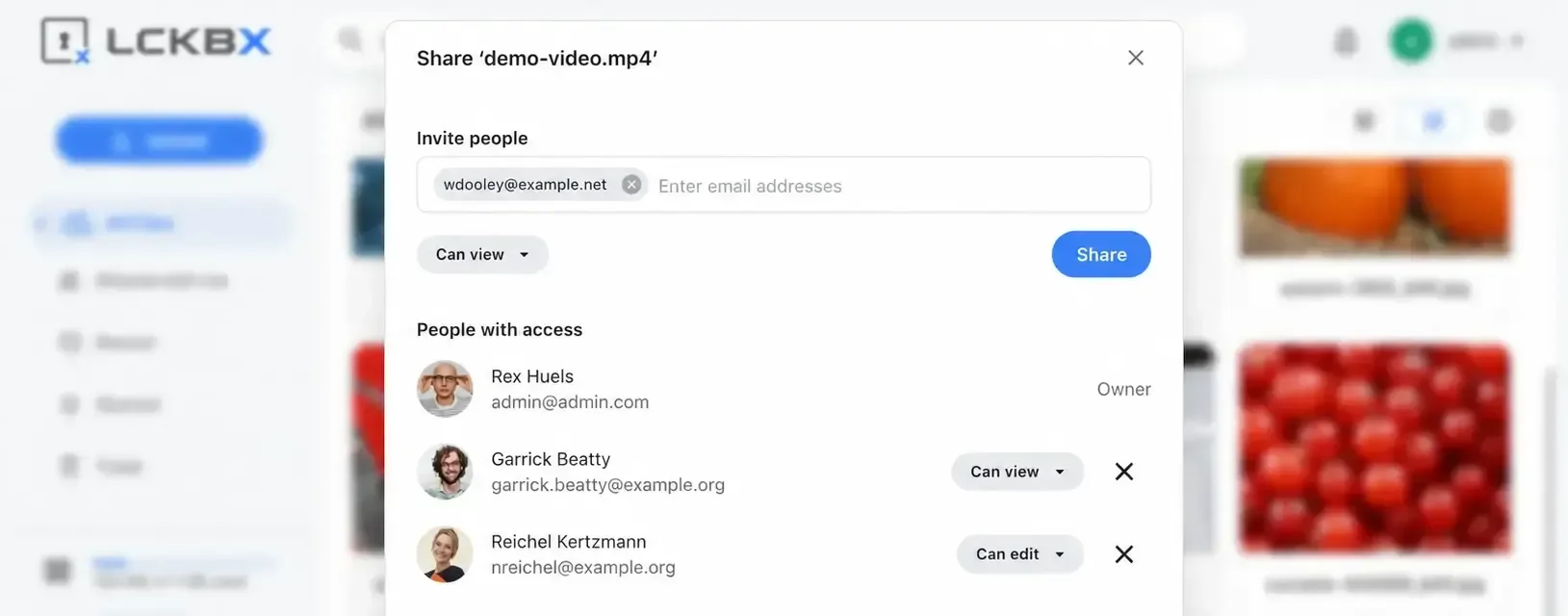
- Invite people by email and set each to Can view or Can edit, or create a shareable link.
- Afterward
- A list of everyone with access, which you can change or remove at any time.
Preview without downloading
- Starts with
- Any document, spreadsheet, image, or video.
- In LCKBX
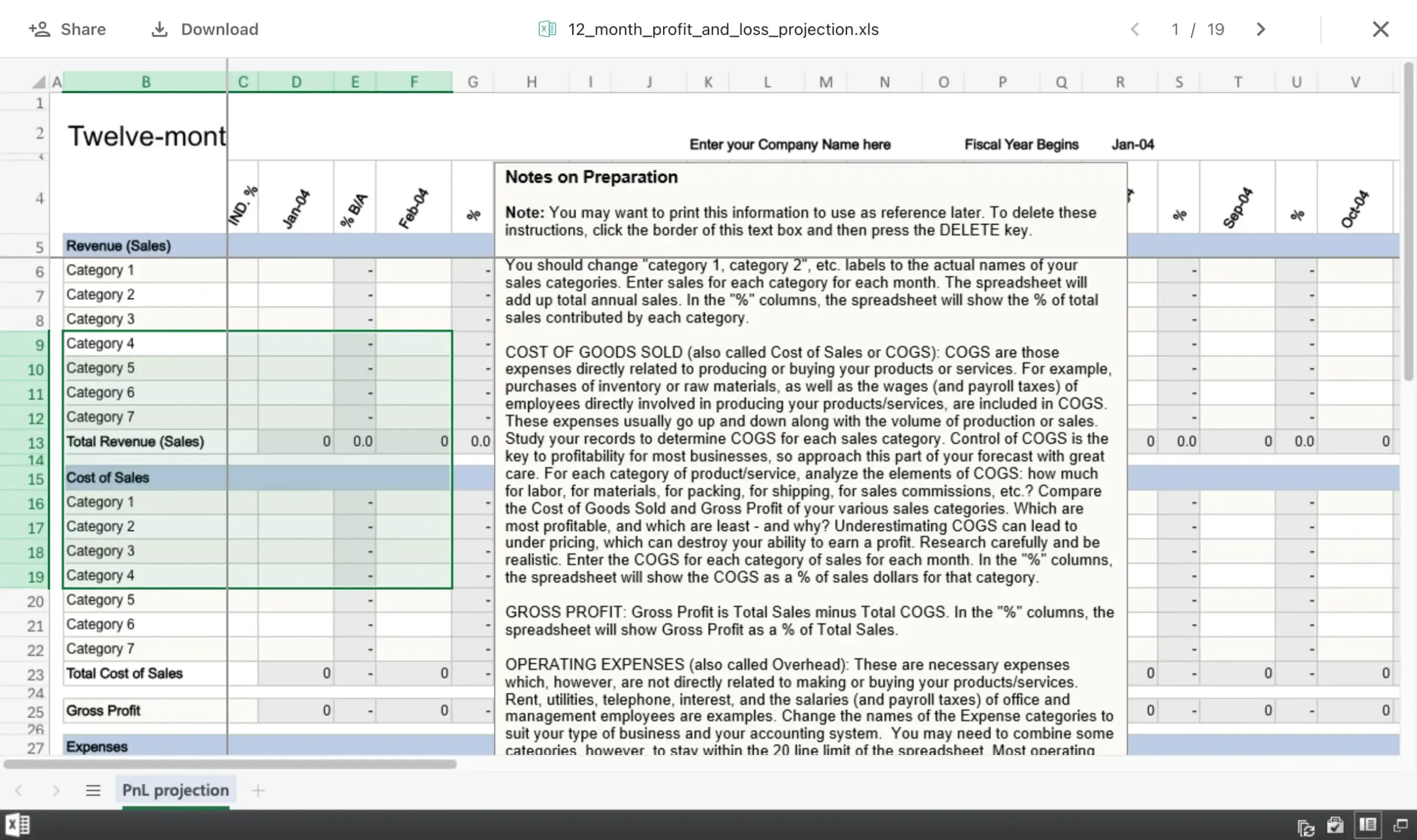
- Open it in LCKBX and page through it, then share or download from the same screen.
- Afterward
- Review a file in seconds, with nothing to install.
What’s inside
Workspaces
Shared spaces for projects or teams, each with its own members.
Who has access
The details panel lists everyone who can see a file.
Invite by email
Give specific people view or edit access.
Shareable links
Links for people outside your team.
In-browser previews
Spreadsheets, documents, and images open without a download.
Recent, starred, and shared with me
Quick ways back to the files you use.
Screens
Real screens with sample data. Select any screenshot to see it larger.
LCKBX on desktop
Files. A workspace’s images, with the details panel showing who has access. Share. Invite by email and choose view or edit for each person. Preview. A spreadsheet opened in the browser, no download needed.
LCKBX on a phone
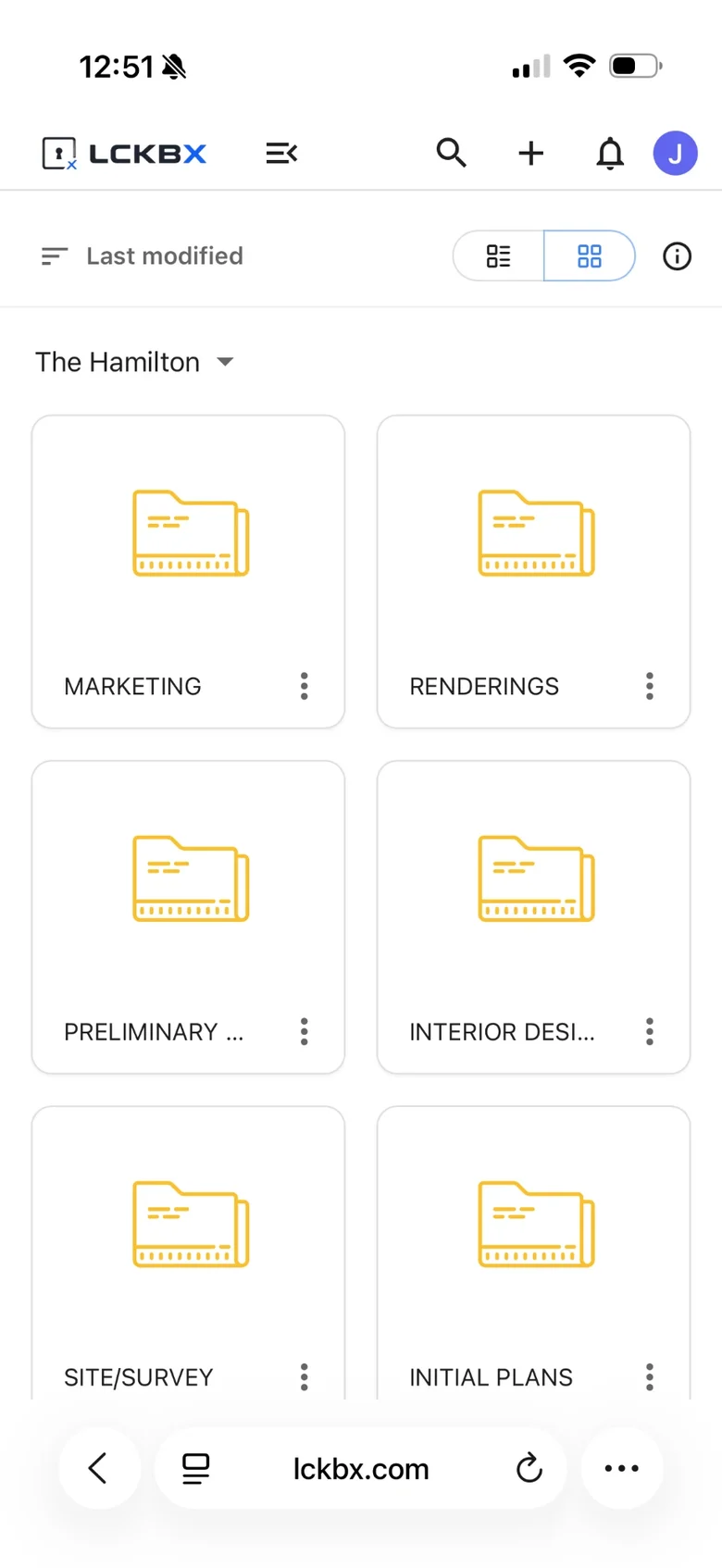
A workspace on an iPhone: its folders, with search and upload close at hand. The menu on an iPhone: your files, what’s shared with you, storage, and the workspace switcher.
The desktop images are the interface previews published on lckbx.com; the sharing screenshot is cropped above its public-link section.
See LCKBX in action.
An LCKBX demo account isn’t set up yet. Ask us for a walkthrough.
Need software like LCKBX for your business?
We design and build custom software, web applications, and integrations for businesses in Georgia and across the US. See our custom software services or describe what you need.