Property management
RENTSOFT HQ
Property management software for landlords and small portfolios. RENTSOFT HQ tracks properties, tenants, leases, payments, and repair requests from one dashboard.
A RENTSOFT HQ demo account isn’t set up yet. Ask us for a walkthrough, or sign up for the free plan on rentsofthq.com.
Who it helps
Who uses it
Independent landlords and property managers, from one property on the free plan up to 100 on the largest plan.
The problem
Rentals get managed in spreadsheets and text messages, and it’s hard to see at a glance who has paid, who’s late, and which units are empty.
What gets easier
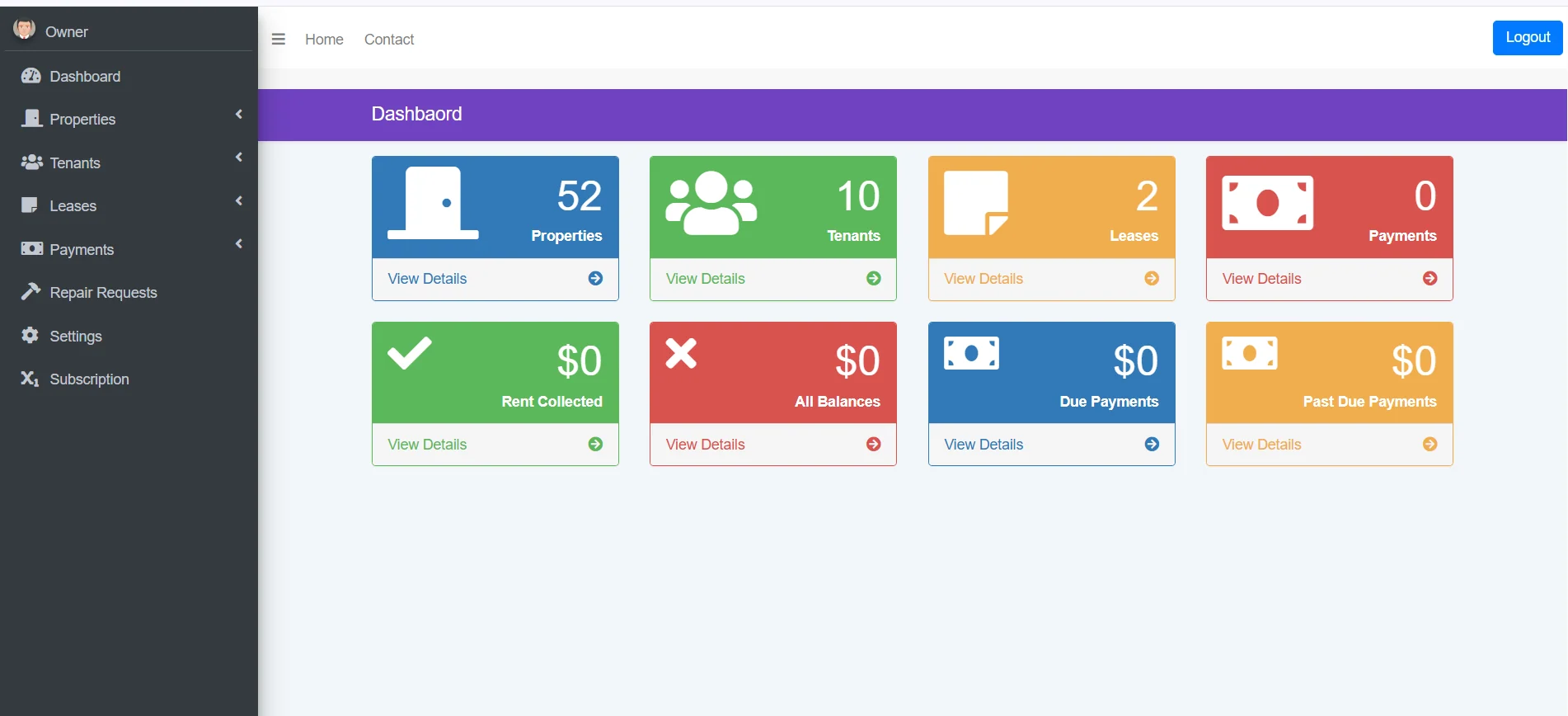
- Totals for properties, tenants, leases, and payments on one dashboard.
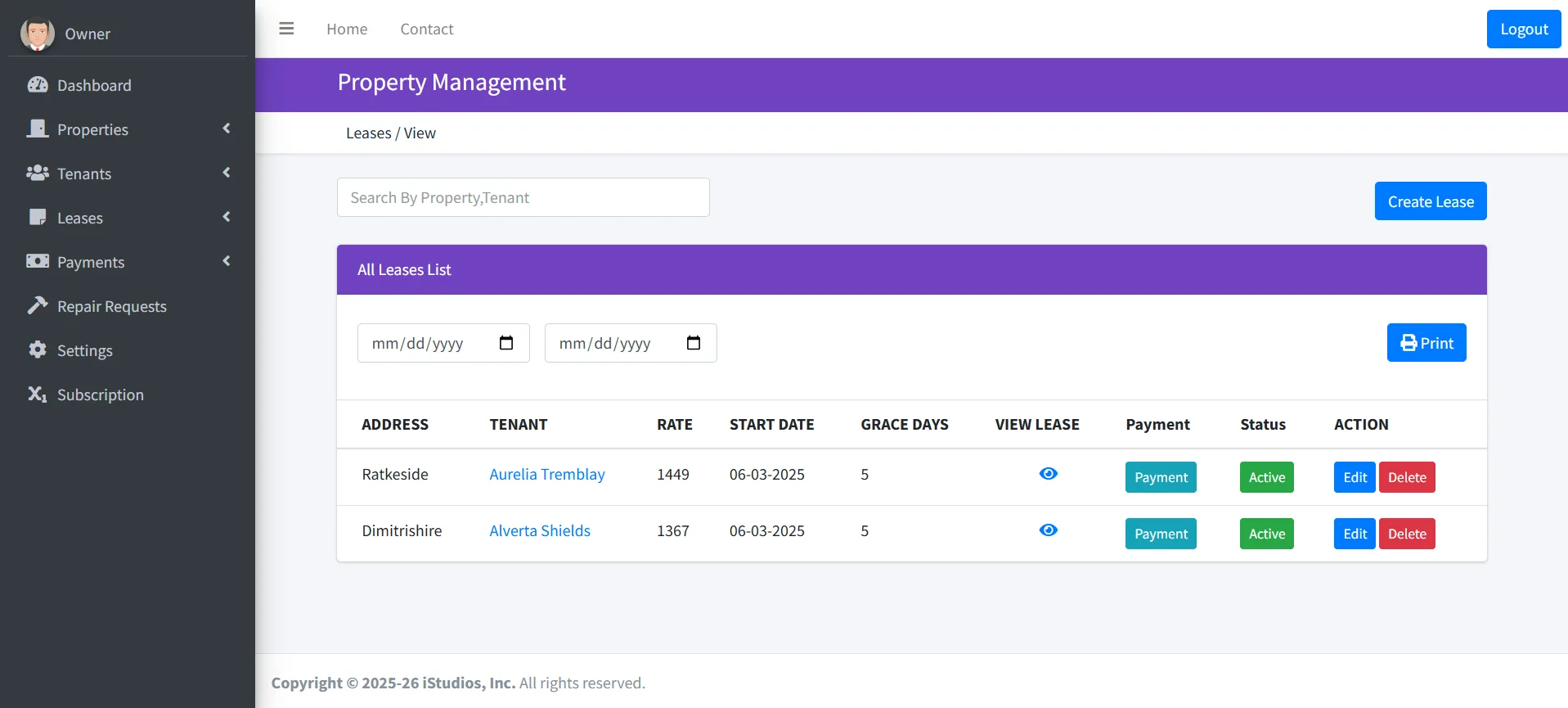
- Each lease records the tenant, rent, start date, and grace days.
- Paid, partial, past-due, and due payments each have their own list.
How it works
Start from the dashboard
- Starts with
- Totals for properties, tenants, leases, and payments, with rent collected, balances, and due and past-due amounts.
- In RENTSOFT HQ
- Open any total to see the records behind it.
- Afterward
- Where the portfolio stands this month.
Add a property and lease it
- Starts with
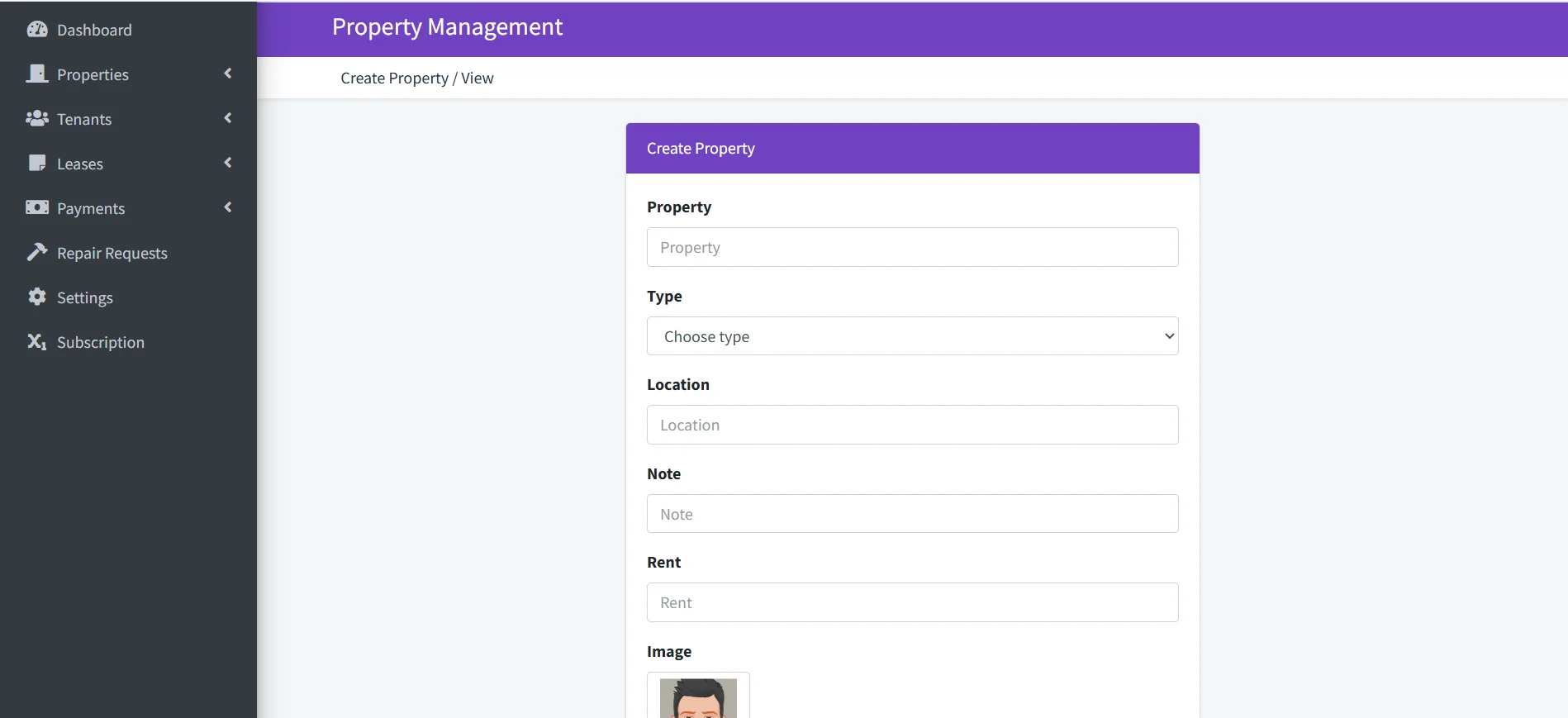
- The Create Property form: name, type, location, rent, and a photo.
- In RENTSOFT HQ
- Add the property, then create a lease for a tenant with the rate, start date, and grace days.
- Afterward
- The property appears in the list with its tenant and occupancy, and the lease is one click away.
Track who has paid
- Starts with
- The lease and payment lists.
- In RENTSOFT HQ
- Search by tenant or property, filter by date, and switch between all, paid, partial, past-due, and due payments. Export to CSV, Excel, or PDF, or print.
- Afterward
- A clear list of who has paid and who hasn’t, ready to share.
What’s inside
Owner dashboard
Properties, tenants, leases, payments, and balances at a glance.
Properties
Type, address, tenant, rent, photo, and vacancy for each property.
Leases
Tenant, rate, start date, grace days, and a view of the lease.
Payments
Separate lists for all, paid, partial, past-due, and due payments.
Repair requests
A list of repair requests with status and attached files.
Export
Copy, CSV, Excel, PDF, and print on the list screens.
Plans
A free starter plan and paid plans for larger portfolios, listed on rentsofthq.com.
Screens
Real screens with sample data. Select any screenshot to see it larger.
RENTSOFT HQ on desktop
Dashboard. The whole portfolio in eight numbers. Properties. Each property’s type, address, tenant, rent, and whether it’s vacant. Leases. Who rents what, at what rate, and since when. Create Property. The form for adding a property.
RENTSOFT HQ on a phone
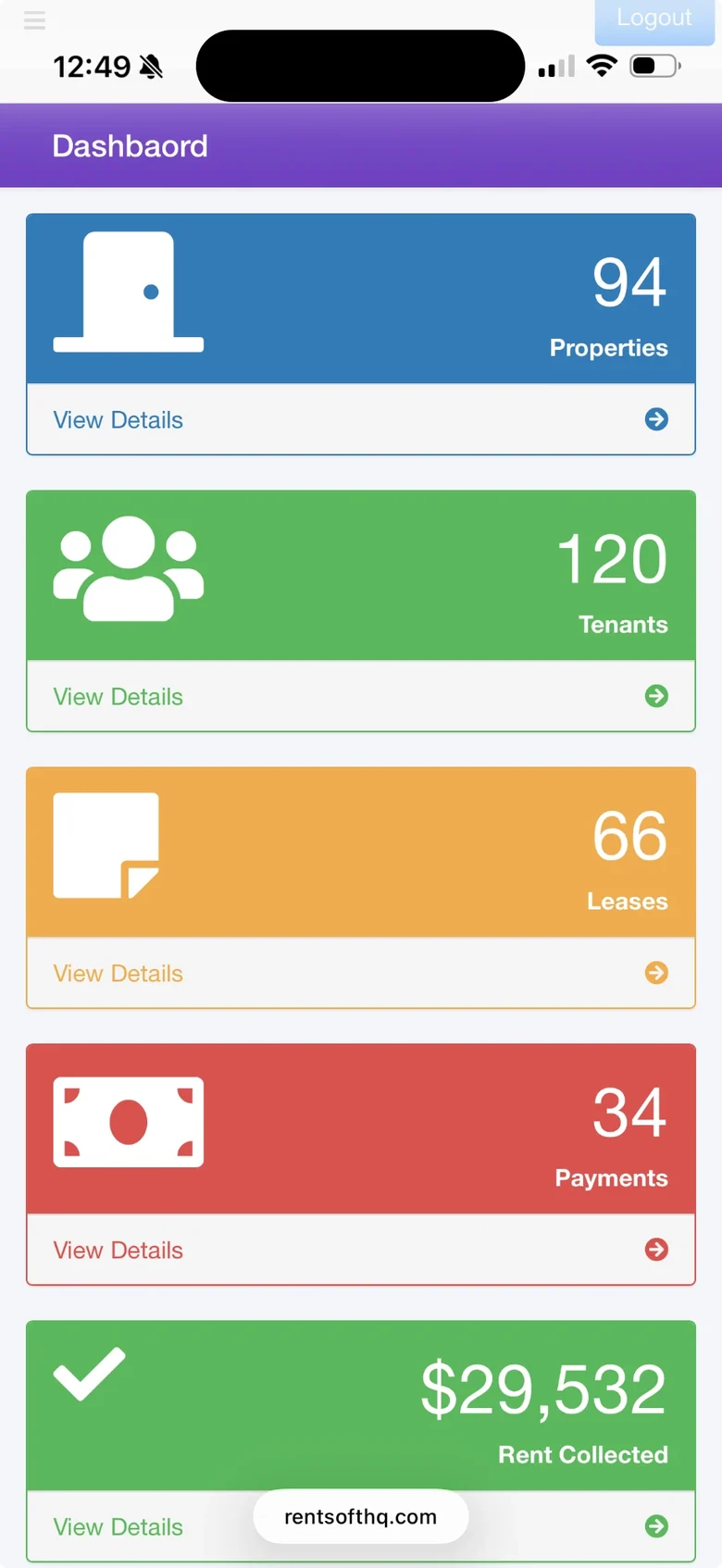
The dashboard on an iPhone: properties, tenants, leases, and payments at a glance. Further down: rent collected, balances, and what’s due or past due.
See RENTSOFT HQ in action.
A RENTSOFT HQ demo account isn’t set up yet. Ask us for a walkthrough, or sign up for the free plan on rentsofthq.com.
Need software like RENTSOFT HQ for your business?
We design and build custom software, web applications, and integrations for businesses in Georgia and across the US. See our custom software services or describe what you need.